
For your Managed Zimbra Hosting to receive email and send it reliably, you need four DNS records: a proof of ownership plus MX, SPF and DKIM.
All values are ready for you in the Client Area. Open My Products & Services → your Managed Zimbra Hosting. The status lights show what is still missing — copy the values from there instead of typing them out.
Step 1: Verify the domain
At your domain provider, create the TXT record shown:
_mydc_verification.musterfirma.at. IN TXT "ecwYMmy3/6pYk"Once the check has succeeded, you may delete this record again.
Step 2: Set the MX record
musterfirma.at. IN MX 10 mx.mymailwall.com.Remove all existing MX records for your domain, otherwise other mail servers will keep delivering to the old provider. Unlike the verification record, you must never delete the MX record.
Step 3: Set the SPF record
musterfirma.at. IN TXT "v=spf1 include:_spf.mydc.at -all"There may be only one SPF record per domain. If other systems send on your behalf — a newsletter service, an inventory management system, a web shop — they belong in the same record:
musterfirma.at. IN TXT "v=spf1 include:_spf.mydc.at include:beispiel-newsletter.com -all"A second v=spf1 record makes the check invalid for all recipients.
Step 4: Set the DKIM record
mailsecurity._domainkey.musterfirma.at. IN CNAME mailsecurity._domainkey.mymailwall.com.Checking the result
After creating the records, refresh the page in the Client Area. The status lights turn green as soon as the records are visible worldwide — this can take up to 24 hours.
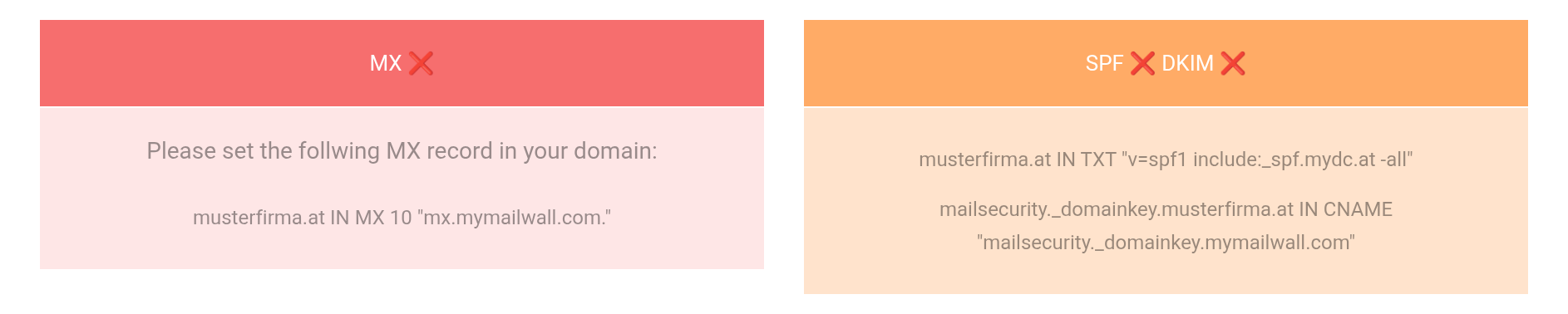
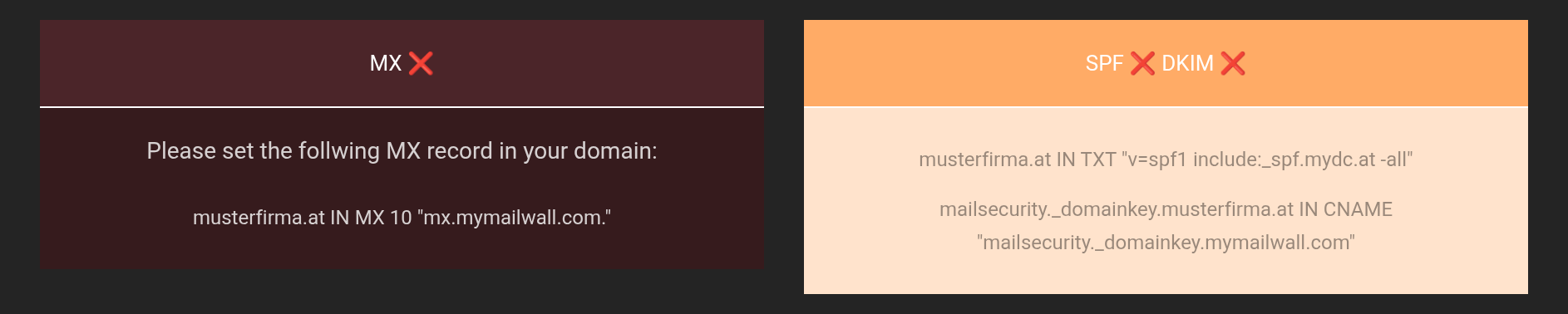 Outstanding items together with the ready-made value to copy.
Migrating from a previous provider
- Verify the domain and create all mailboxes — incoming mail keeps arriving unchanged in the meantime.
- Transfer the existing messages.
- Switch MX, SPF and DKIM over.
- Keep the old mailbox reachable for a few more days — messages from servers with outdated DNS information arrive there.
If a status light stays red
- MX
- Is an old MX record still there alongside it? Is the target exactly
mx.mymailwall.com.? - SPF
- Is there more than one
v=spf1record, or isinclude:_spf.mydc.atmissing? - DKIM
- Some providers append the domain name automatically. If the result ends in
…musterfirma.at.musterfirma.at, enter onlymailsecurity._domainkeyas the name.


