
With Managed DNS you manage the DNS records of your domain yourself — on two independent, authoritative name servers that we operate. You need neither a server of your own nor any software for this; the changes are live on both name servers seconds later.
You book one service per domain. Which domain it refers to is shown in the Domain field of the service — you do not have to select it again anywhere.
For it to take effect: point the domain to our name servers
This is the only step you have to carry out outside the Client Area. Enter these two name servers with your domain provider:
| Name server |
|---|
ns01.mydatacenter.at |
ns02.mydatacenter.at |
Depending on the registry, it can take a few hours for a change of the name servers to take effect worldwide. You can already create your records in the meantime — they are ready as soon as the changeover has gone through.
Where you manage the service
Client Area → My Products & Services → your domain. On the left you will find three views:
- Information
- State and key figures of the zone — number of records, serial, zone header, the changes made most recently.
- Management
- The editor for your records. See Creating and editing DNS records.
- API access
- Keys for automation, for example for automatic certificate issuance. See Automation through the API.
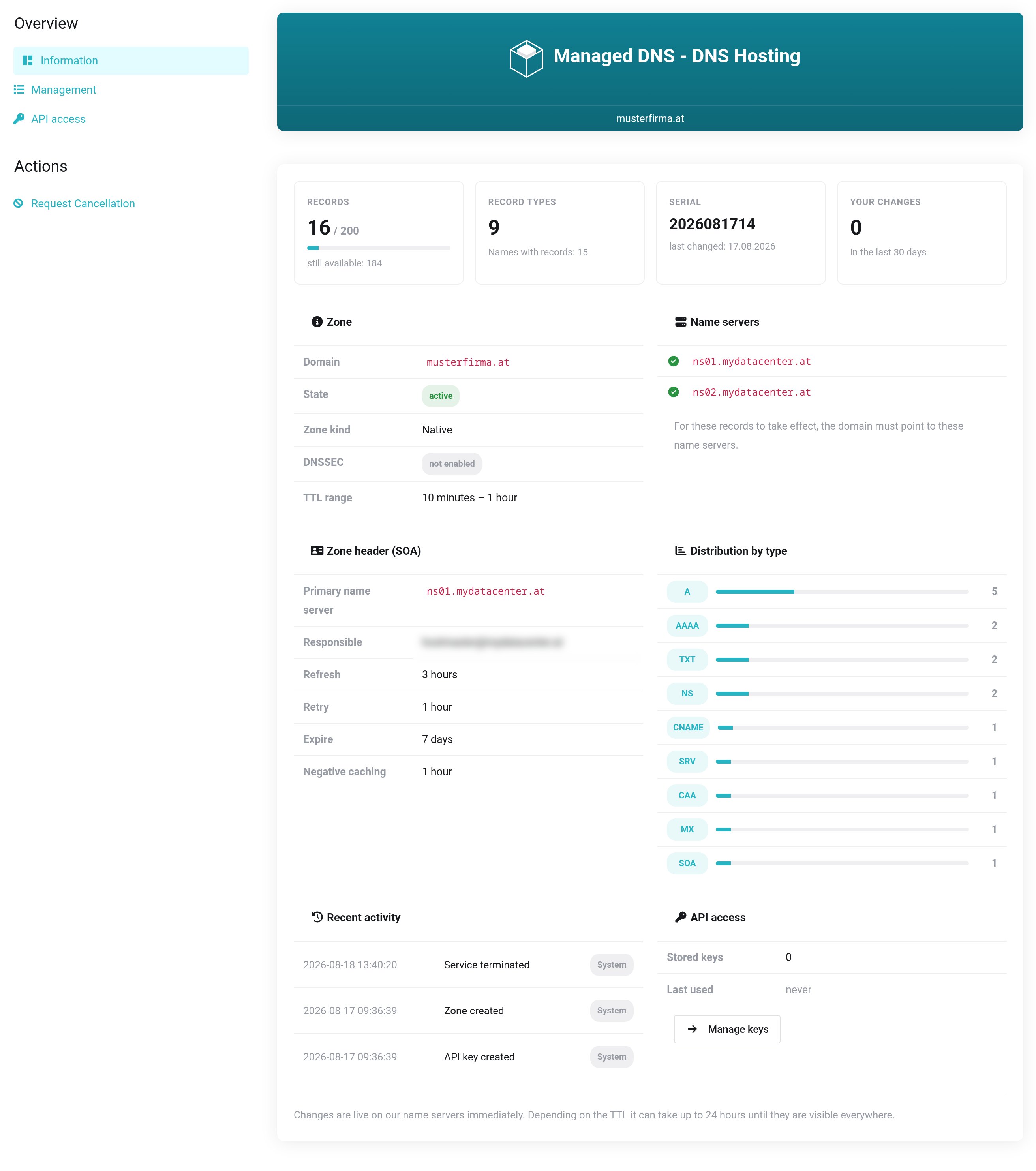
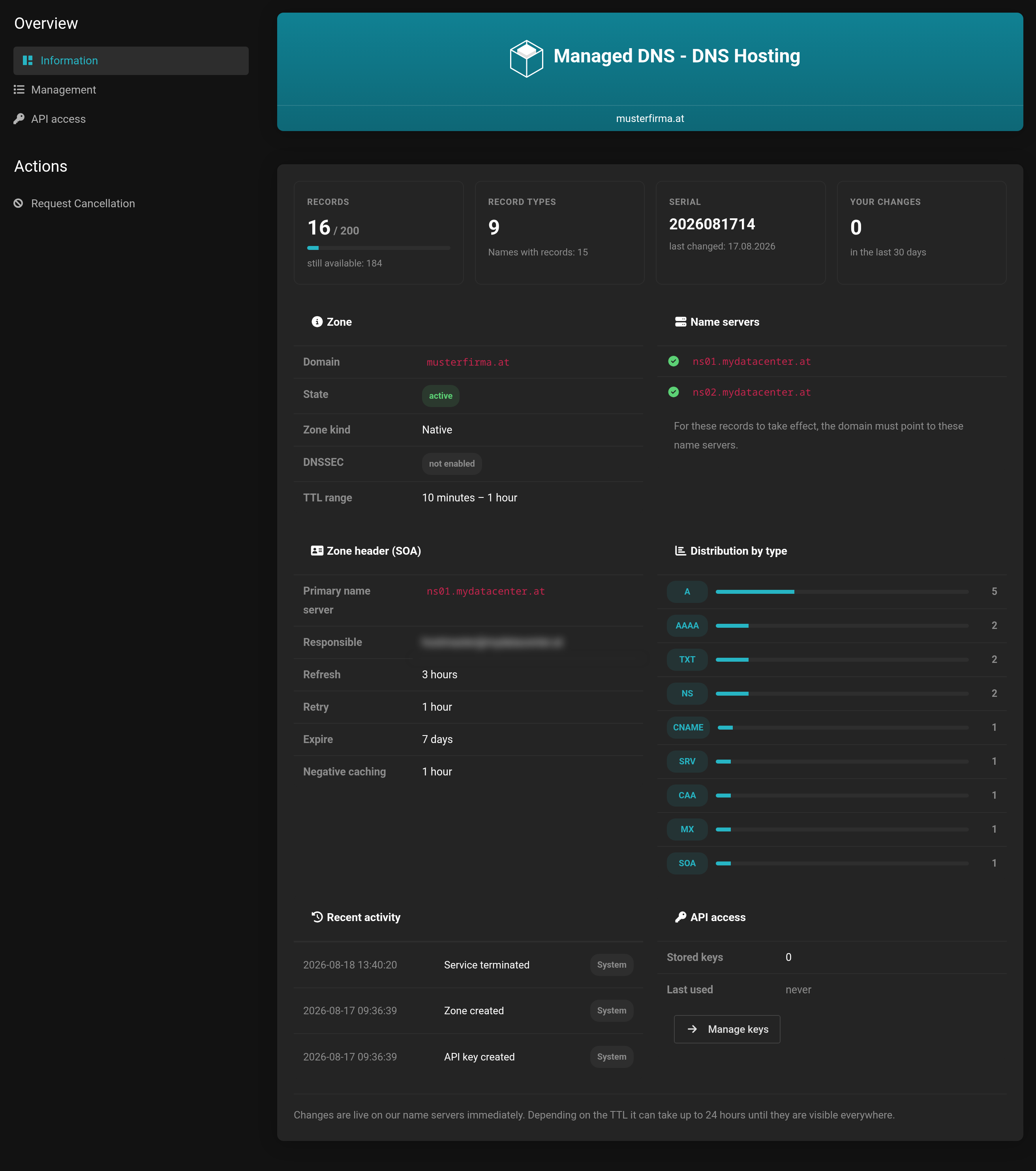 The three views are on the left in the navigation.
What the Information page tells you
The start page summarizes the state of the zone: how many records are used and how many your plan allows, which record types you use, when something was last changed and which name servers are actually stored for the zone.
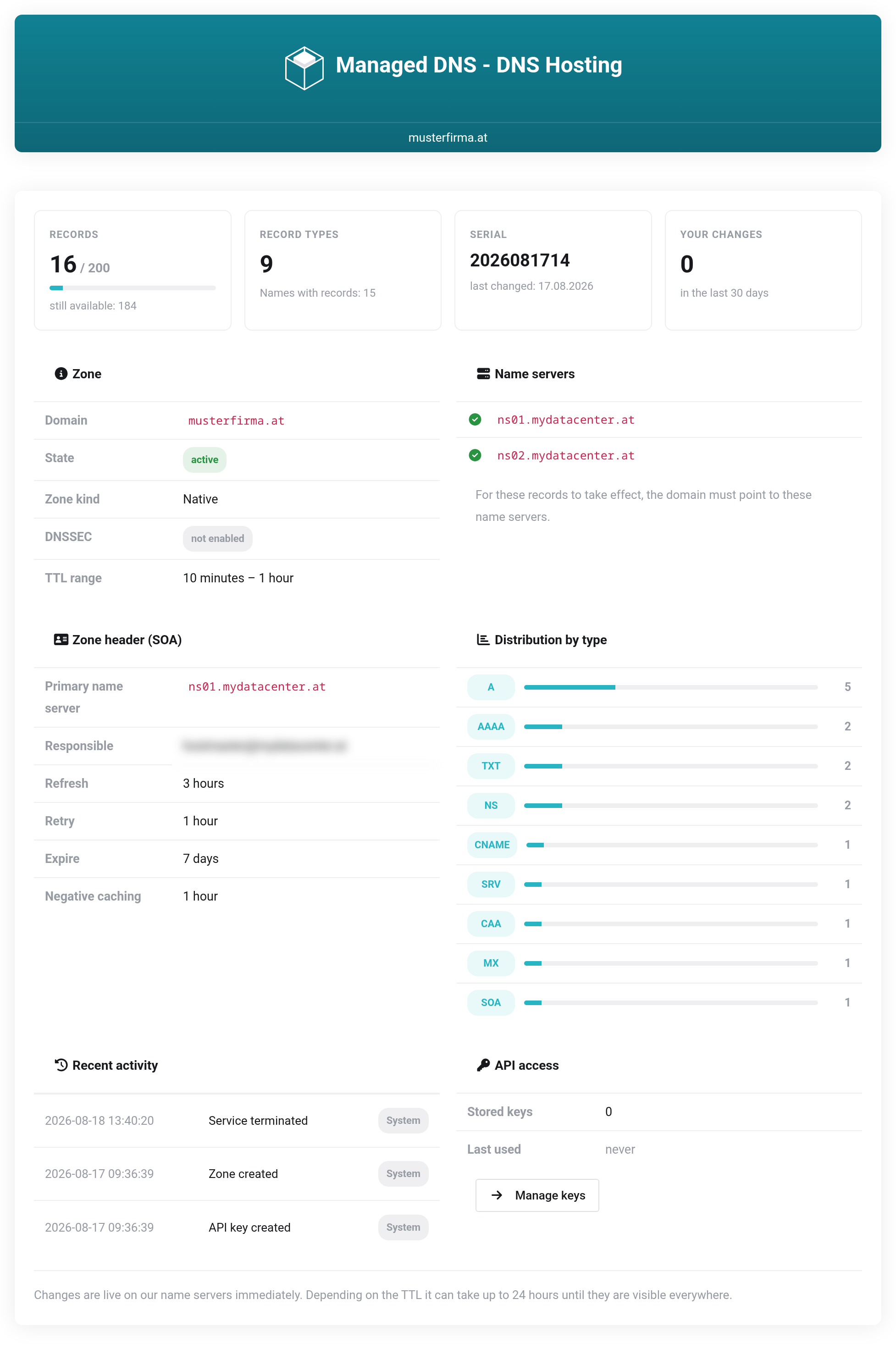
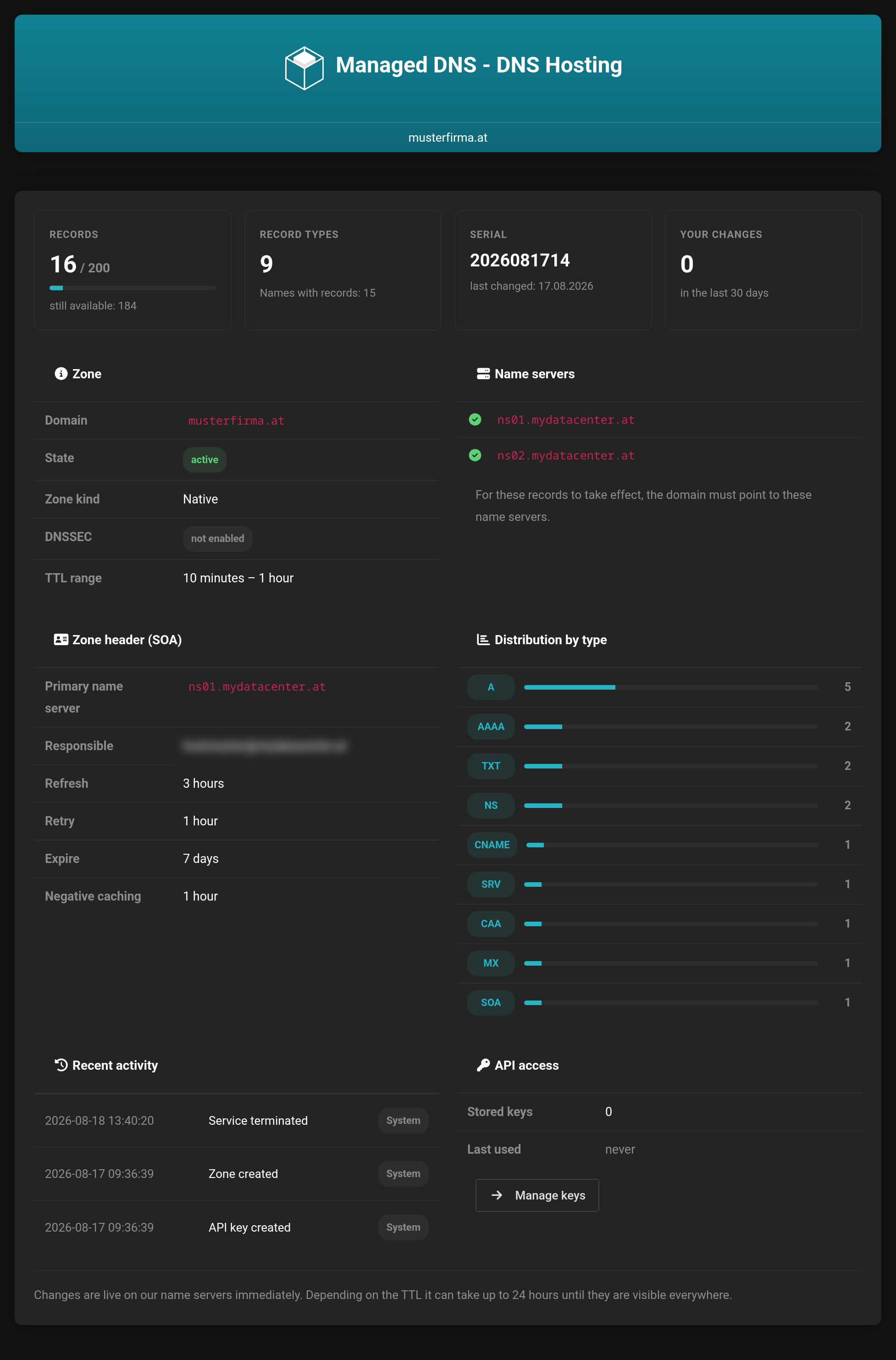 Key figures, zone header and the changes made most recently.
If what is shown under Name servers differs from those named above, your domain still points somewhere else — your changes are then saved here, but they are not served.


